 readeem
A reading adventure for your children
Help your child
earn screen time
by reading.
Big stories. New discoveries. A reward to look forward to. Your child reads, answers questions, and earns time in the apps you choose.
Get ReadeemiPhone & iPad · iOS 18+ · Family subscription required

From pages to playtime
Their stories.
Their screen time.
A little connection.
From curious explorers to chapter-book adventurers, give your child a reason to keep reading. Here’s how their next story becomes their next reward.
- 01
Read their book
Your child starts a visible screen recording in Readeem, then reads in a compatible book app on their iPhone or iPad.
- 02
Think about the story
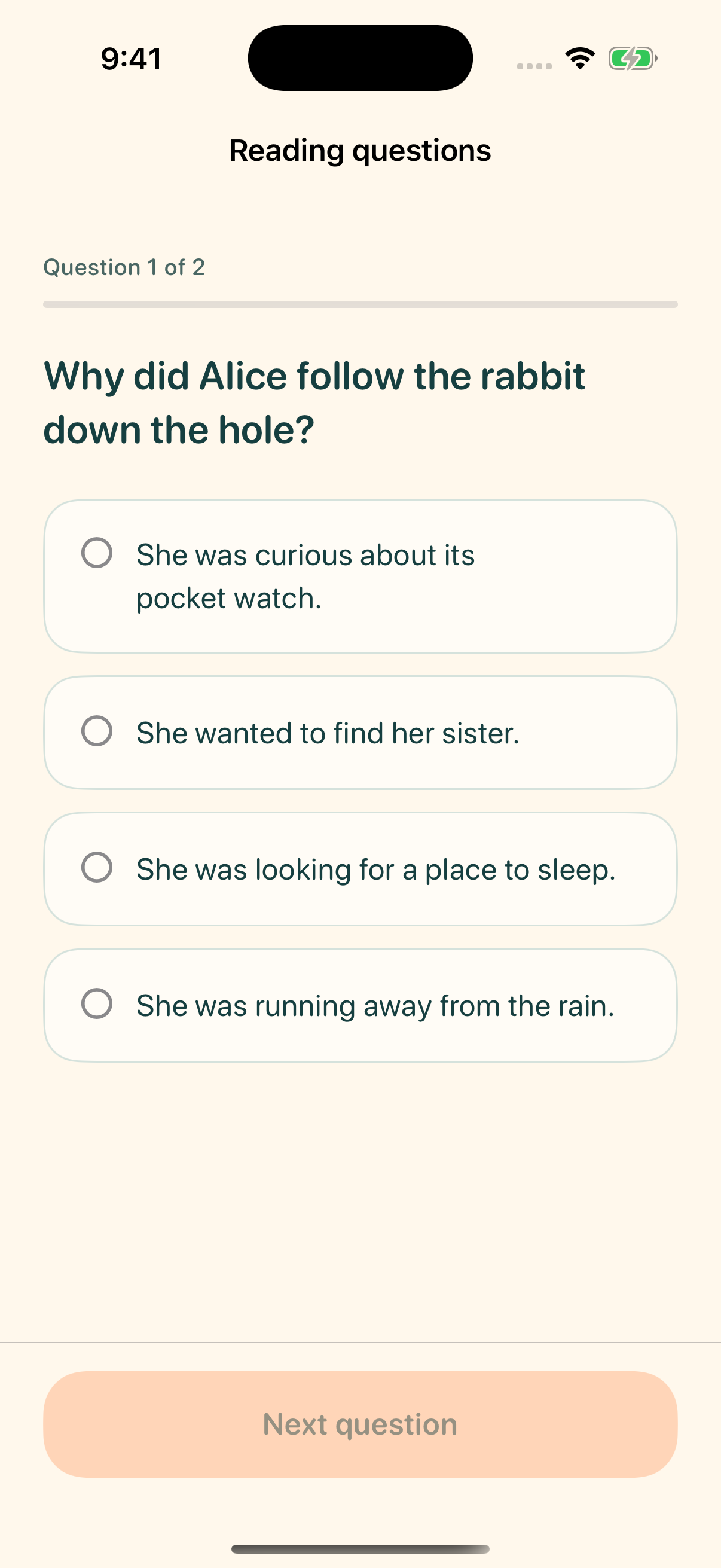
After reading, they return to Readeem and generate questions from the text. Screenshots can be reviewed and excluded first.
- 03
Redeem their minutes
Answering at least half the questions correctly earns minutes for new reading. Your child can save them or unlock the apps you’ve selected.
Reading happens on the device. Compatibility depends on the book and reading app; protected content may not be captured.
More than turning pages
A moment to read.
A moment to reflect.
Questions are based on the text your child has just read, giving them a reason to pause and think about the story.
Rewards depend on new text and quiz accuracy. Parents can adjust the reading reward rate to suit their family.
Earn now. Save for later.
Saved minutes belong to your child across their connected devices.
Their adventure. Your guidance.
On their device.
In your hands.
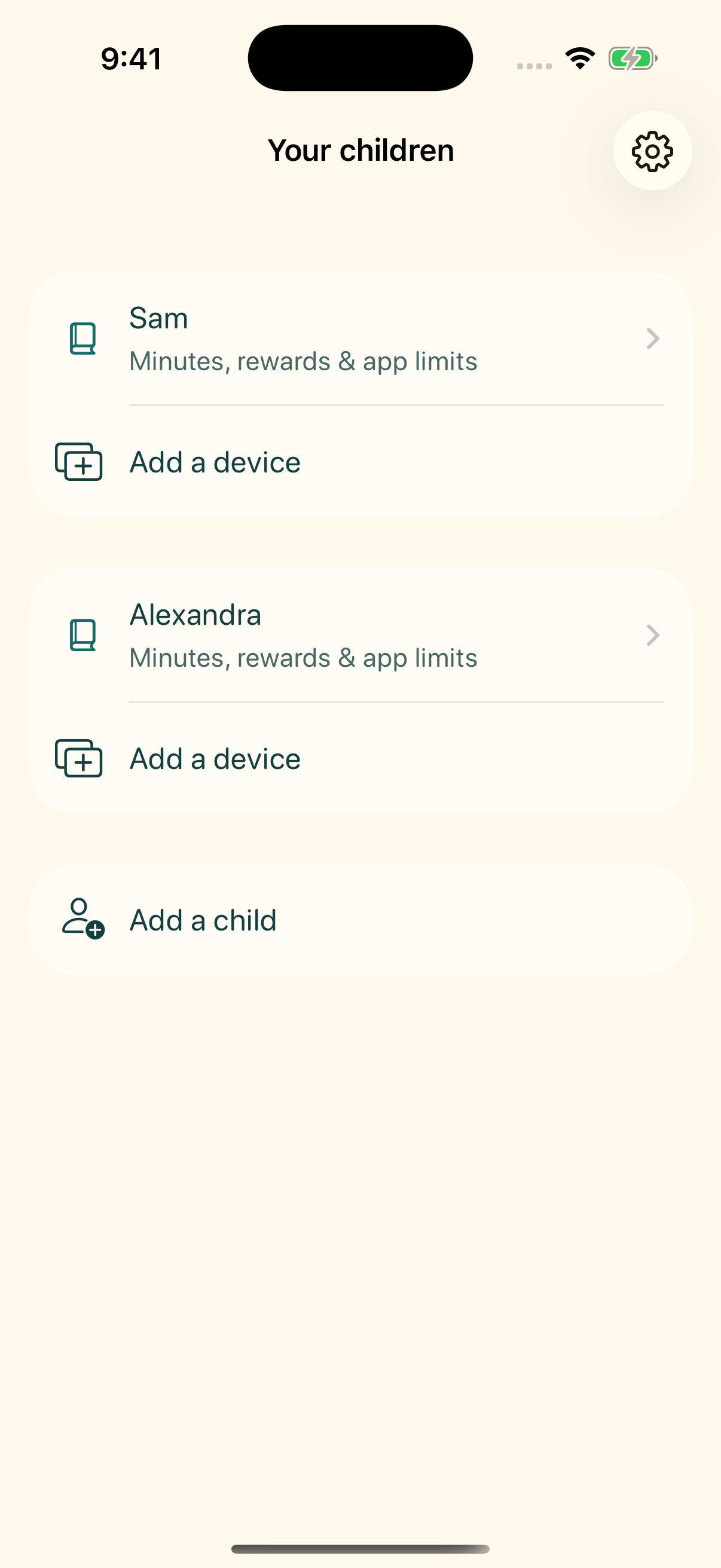
Set up Readeem on your child’s device using your parent email. You can also install it on your own device to manage your family.
- Choose what earned time unlocks.Select apps on each child’s device, then manage that device’s limits from your parent device.
- Find a pace that fits.Adjust each child’s reading reward rate and add or remove saved minutes.
- Keep the family together.Manage multiple children and connect more than one reading device per child.
Remote changes take effect when the child’s device next connects and checks for updates. A separate parent device is optional.
Understand what is shared
A clear view of
reading privacy.
Screen recording starts with an explicit action. Screenshots are processed on the device. When questions are requested, included text is sent to Readeem’s server and OpenAI.
A parent must consent before reading checks begin and can withdraw consent in parent settings. Your child can review captures and exclude notifications or other screens before sending text.
Read the privacy policyA few things you might be wondering
Good questions.
Where can I get Readeem?
Download Readeem from the App Store on your iPhone or iPad. A monthly or annual family subscription is required for reading rewards and app limits. Subscription terms are shown in the app before purchase.
Do I install it on my device or my child’s?
Both, if you’d like. Use Readeem on your own iPhone or iPad to manage your family, and connect your child’s device for reading, questions, and earned screen time. You can also complete parent setup and use protected parent settings on the child’s device without a separate parent device.
Which devices and books does it work with?
Readeem is designed for iPhone and iPad running iOS or iPadOS 18 or later. Reading is captured from compatible apps on the device, not from paper books or a separate e-reader. Some books or apps block screen recording. A built-in sample lets you try the reading flow.
How does my child earn minutes by reading?
Your child needs a quiz with at least half the answers correct to earn minutes. Rewards depend on new reading, your chosen reward rate, and quiz accuracy. Text rewarded within the past year does not earn again. If there isn’t enough suitable text for questions, try reading a few more pages.
Can my child turn off the app limits?
The family code protects settings within Readeem. Apple’s device protections are separate. A child Apple Account in your Family Sharing group supports parent protection; someone using a device signed in to a parent’s Apple Account may be able to remove Readeem’s Screen Time permission in Apple’s settings.
Does earned time keep counting when the device is put down?
Earned time is based on use of the selected apps, rather than simply time passing on the clock. Your child chooses how many saved minutes to unlock. Those selected apps become restricted again when the active allowance is used up.
Is an internet connection needed?
Yes, for account setup, generating questions, confirming rewards, syncing family controls, and starting a new allowance. Time that has already been activated can continue offline, subject to the app’s last confirmed access status.
Need help with Readeem? Visit support
Reading rewards for your family
Read to redeem.
A little adventure for children.
A thoughtful routine for the whole family.
For iPhone and iPad · Family subscription required